



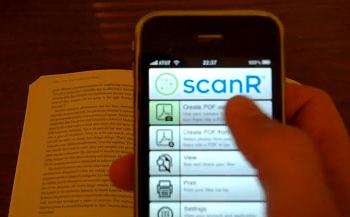
Smart phones are becoming mobile business centers. Forget about texts, phone calls, emails, and web browsing, phones can now handle the ultimate office technology: the fax machine. Yep, ScanR has developed applications for iPhone, Nokia Symbian, Android, and Blackberry that let you turn the phone’s camera into a scanner and send documents via email or fax. Take a photo and the ScanR app will send it to their server’s to be processed into a high quality PDF that can be sent anywhere via email, or to a recipient in over 90 different countries via ScanR’s fax service. You can try a limited version of the iPhone App for free, or pay $4 for the complete software. I’ve got a quick video of the App in action as well as a sample PDF for you below. Check them out.
Yeah, I’m not sure how much you’ll use the fax capabilities of ScanR, but I can see the scanner (aka PDF converter) as fairly helpful. There are other such scanners in the App Store, but most are slightly more expensive and I can’t find a free one (anyone else want to try?). Executives may be a little wary of sending documents to ScanR’s server to be processed, but everything is automated and (ScanR claims) private. Typical processing times for me were less than 2 minutes, and sometimes much faster, as seen in the video:
Of course, the quality of each scan is really hit or miss. ScanR uses your camera phone after all, so expect all the benefits and tribulations that come with that. The curved surfaces of a book lead to some problems with converting image to text. I ripped a page out of a book (I apologize to librarians everywhere) and placed it on a flat surface. This really helped. ScanR lets you convert photos to PDFs as well, which I tried with a high contrast color photo of some flowers. The result was fairly decent. See for yourself below. Overall I’d say the ScanR App is user friendly, probably pretty helpful, and fast.

The original photo can be seen here.
But things are going to get much better. There’s at least one group out there trying to put far superior scanning technology in your phone. Eventually you could scan an entire book as easily as I scanned a single page. Smart phones already serve as fairly functional mobile business centers now. In the near future they’ll become what they were always meant to be: single point access to the rest of humanity, and the collective knowledge of the world.
[screen capture and video credit: Singularity Hub]
[image credits: Singularity Hub via ScanR]
[source: ScanR]